What Is FPS in Camera? Frame Rate Guide for Filmmakers

What Is FPS in Camera? The Complete Guide for Filmmakers
When you shoot video, one of the first settings you see is FPS — but what is FPS in a camera, why does it matter, and which FPS should you use for 1080p or 4K? Whether you’re a beginner, content creator, cinematographer, or virtual production artist, understanding FPS is essential for creating professional, cinematic, or ultra-smooth visuals.
In this guide, we’ll break down everything about frame rates, including what 24fps, 30fps, 60fps, and even 120fps mean — and how modern virtual production tools like ARwall use FPS to create realistic digital environments.
What Is FPS in Camera?
FPS (Frames Per Second) refers to how many individual images your camera captures every second while recording video. These images are displayed quickly one after another, creating the illusion of motion.
So when you ask “What is FPS in a camera?” — it simply means:
👉 How many frames your camera records each second.
For example:
-
24 FPS = 24 frames recorded every second
-
30 FPS = 30 frames recorded every second
-
60 FPS = 60 frames recorded every second
The higher the FPS, the smoother the motion appears. The lower the FPS, the more cinematic or natural the movement feels.
This is one of the most important camera settings because FPS affects:
-
Motion smoothness
-
Motion blur
-
Video realism
-
File size & data rate
-
Compatibility with editing or streaming
-
The visual “feel” of your video

What Is the Meaning of FPS in Camera Settings?
When you open your camera’s video settings, the FPS options determine the look and flow of your footage. Changing FPS changes everything about how your video feels.
In simple terms:
👉 FPS controls motion aesthetics — from cinematic to ultra smooth.
For example:
-
A film is usually shot at 24fps
-
A YouTube vlog might use 30fps
-
A sports video or gaming clip needs 60fps
-
Slow-motion typically requires 120fps or more
Modern virtual production pipelines — especially with LED walls like ARwall’s XR technology — rely heavily on correct FPS synchronization. Matching camera FPS with LED display FPS ensures natural motion and prevents flicker, lag, or ghosting inside virtual sets.
What Is 24 FPS? (The Cinematic Gold Standard)
You’ve probably heard that movies are shot at 24fps — but why?
Why filmmakers use 24 fps:
-
Natural motion blur
-
Classic cinematic look
-
Traditional projection & broadcast standard
-
More “emotional” and immersive feel
-
Lower file sizes & smoother editing
24fps introduces slight motion blur that our eyes associate with movies. It’s the language of cinema.
Perfect for:
-
Short films
-
Feature films
-
Dramatic scenes
-
Narrative storytelling
-
Virtual film sets (like those created using ARwall)
What Is 30 FPS in Camera?
30fps is a slightly higher frame rate commonly used for TV, broadcasting, news, and online content.
Why 30fps is used:
-
Feels smoother than 24fps
-
Good for YouTube, live events, and interviews
-
Natural motion with minimal blur
-
Common in smartphones and webcams
What is 30fps in camera?
👉 A balanced, natural-looking frame rate ideal for online content.
Use 30fps when you want a clean, fluid look without going all the way to 60fps.
What Is 60 FPS in Camera?
60fps is a high-frame-rate video format that captures very smooth motion, perfect for:
-
Action scenes
-
Sports
-
Gaming content
-
Tutorials
-
Fast-moving subjects
-
VR & AR experiences
-
Virtual production, LED walls & XR filmmaking
When you ask “What is 60fps in camera?”, the answer is:
👉 It captures double the frames of 30fps, resulting in extremely smooth, crisp motion.
60fps closely resembles real life, making it perfect for dynamic scenes and immersive environments.
ARwall’s real-time virtual production tools greatly benefit from 60fps because it helps integrate the actor with the digital background in a more natural, responsive way.
What Is 120 FPS? Is It Fast?
Yes — 120fps is extremely fast.
It’s used mainly for slow-motion.
When played back at 24fps or 30fps, 120fps footage becomes very smooth, dramatic slow-motion.
Great for:
-
Cinematic slow-motion
-
Sports replays
-
Fashion shoots
-
Product ads
-
Water, fire, motion-heavy shots
In virtual production, high-FPS capture is used to create hyper-realistic motion, especially with XR and LED screens used by studios like ARwall.
What Is Auto FPS in Camera?
Some cameras offer an Auto FPS setting that automatically adjusts frame rate based on lighting conditions.
How Auto FPS works:
-
In low light → drops FPS to increase brightness
-
In bright light → increases FPS for smoother motion
While convenient, Auto FPS can cause inconsistent footage.
Filmmakers usually turn it off to maintain visual continuity.
Best FPS for Common Video Formats
Choosing the right FPS depends on your final output. Here’s an easy breakdown:
Best Frame Rate for 1080p Video
✔ 24fps → cinematic look
✔ 30fps → YouTube, vlogs, interviews
✔ 60fps → sports, gameplay, fast motion
✔ 120fps → slow-motion
If you’re shooting 1080p for virtual production scenes (especially LED wall setups using ARwall), 60fps is often the best choice for reduced motion artifacts.
Best Frame Rate for 4K Video
4K video is bandwidth-intensive, so FPS choice matters.
✔ 24fps → professional filmmaking
✔ 30fps → high-quality YouTube & streaming
✔ 60fps → high-end commercials, action, XR stages
Most cameras support 4K 30fps, while more advanced systems (including virtual production cameras used with ARwall) support 4K 60fps for ultra-smooth output.
Which FPS Is Best for Video?
Here’s the quick cheat sheet:
|
Type of Video |
Best FPS |
|
Cinematic film |
24fps |
|
YouTube content |
30fps |
|
Sports & action |
60fps |
|
Slow-motion |
120fps+ |
|
Virtual production / LED walls |
60fps |
|
Interviews or live broadcasts |
30fps |
|
TikTok / Reels |
30–60fps |
👉 No single FPS is “best.”
It depends on the mood, platform, and purpose.
How to Set FPS in a Camera
Although every camera menu is different, the process is similar:
1. Open Video Settings
Navigate to your camera’s Video Mode or Movie Settings.
2. Select Frame Rate
Choose from options like:
-
24p
-
30p
-
50p
-
60p
-
120p
(“p” means progressive scan.)
3. Match FPS With Shutter Speed
Use the 180-degree shutter rule:
Shutter speed = double the FPS.
Examples:
-
24fps → 1/48 or 1/50
-
30fps → 1/60
-
60fps → 1/120
4. Confirm Resolution Compatibility
Some FPS options only work in certain resolutions (e.g., 4K 60fps may require high-end cameras).
5. Test in Real Conditions
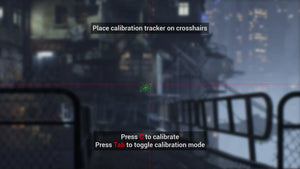
LED walls or XR stages (like those designed by ARwall) may require specific FPS to avoid flickering.

How FPS Affects Virtual Production (ARwall )
Virtual production relies on synchronization between:
-
Camera FPS
-
LED wall refresh rate
-
Real-time rendering engine
-
Tracking systems
ARwall, a leader in XR virtual set technology, uses advanced real-time rendering and camera-tracking solutions that require precise FPS settings for:
-
Smooth parallax
-
Realistic virtual backgrounds
-
Seamless actor/environment integration
-
Zero-latency motion
-
Flicker-free LED wall performance
This is why production houses using ARwall’s tech often optimize their cameras at:
-
24fps for cinematic virtual environments
-
30fps for broadcast-quality XR
-
60fps for action-heavy or interactive scenes
And for camera-related learning, check this related post:
👉 what is iso in camera
24 FPS vs 30 FPS — Which Is Better?
Many beginners ask: Is 24fps or 30fps better?
Here’s the simplest breakdown:
24 FPS
-
More motion blur
-
More cinematic
-
Standard for movies
-
Great for storytelling
30 FPS
-
Less blur
-
More real-life motion
-
Perfect for YouTube, interviews, live content
-
Works well for social media
Which should YOU choose?
✔ Choose 24fps for films and narrative content.
✔ Choose 30fps for vlogs, corporate videos, presentations, and web content.
If you're shooting with virtual production LED walls, 30fps often produces smoother parallax and fewer sync issues on XR stages.
30 FPS vs 60 FPS — Which Is Better?
30 FPS
-
Standard smoothness
-
More natural
-
Great for talking-head videos
-
Lighter file sizes
60 FPS
-
Super smooth
-
Great for sports & fast motion
-
Needed for slow-motion conversion
-
Excellent for XR/AR filming
Which is better?
If you want energy, clarity, and smooth motion → 60fps
If you want natural realism → 30fps
60 FPS vs 120 FPS — Which Is Better?
When you jump from 60fps to 120fps, the purpose changes:
60 FPS
-
Excellent for real-time smoothness
-
Perfect for gaming, sports, action, XR
120 FPS
-
Ideal for slow-motion
-
Captures ultra-fast movement
-
Used in commercials, product shoots, cinematics
If your goal is slow-motion playback → 120fps wins.
If your goal is smooth real-time shooting → 60fps wins.
1080p 60fps vs 4K 30fps — Which Is Best?
This is one of the most asked questions in camera groups and forums.
The answer depends on your priorities:
Choose 1080p 60fps if you want:
✔ Smooth movement
✔ Sports, action, dance videos
✔ Gaming content
✔ XR studio shoots with LED walls
Choose 4K 30fps if you want:
✔ Ultra high-resolution
✔ Cinematic detail
✔ Professional look
✔ Corporate videos, film projects
Which one is better overall?
👉 For motion → 1080p 60fps
👉 For detail → 4K 30fps
On professional virtual production stages (such as ARwall-powered sets), 4K 30fps or 4K 60fps is ideal for integrating actors with high-resolution backgrounds.
Why FPS Matters in Virtual Production
Virtual production requires precision, especially when mixing live-action and LED backgrounds.
ARwall, an industry leader in XR and virtual set technology, uses a real-time rendering system that reacts to camera position in milliseconds. Correct FPS ensures:
-
No flicker between LED wall & camera
-
Smooth motion parallax
-
Realistic background perspective shift
-
Seamless blending of actors and digital scenes
-
Sync between render engine & camera shutter
Why ARwall is unique:
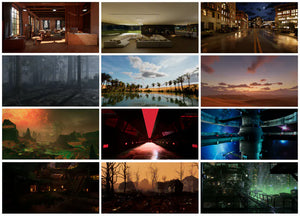
Their award-winning ARFX system helps filmmakers shoot immersive scenes without green screens, using real-time environments that respond to camera movement.
In these environments:
-
24fps → gives cinematic realism
-
30fps → ideal for broadcast livestreams
-
60fps → perfect for action or interactive content
Frequently Asked Questions (FAQs)
1. What is a good FPS for a camera?
A good FPS depends on what you’re shooting:
-
24fps → filmmaking
-
30fps → YouTube, live streams
-
60fps → sports, action, smooth motion
-
120fps → slow-motion
For most creators, 24–30fps is ideal.
2. Which is better, 30fps or 60fps?
Neither is “better” universally. The choice depends on purpose:
-
30fps → natural, balanced, standard for online video
-
60fps → very smooth, perfect for fast motion
For gaming, fitness, sports, and XR stages → 60fps wins.
3. What FPS is best for 4K?
The best FPS for 4K depends on style:
-
4K 24fps → cinema
-
4K 30fps → YouTube & broadcasting
-
4K 60fps → high-end commercials, action scenes
Most professionals prefer 4K 24fps for narrative filmmaking.
4. Is 24fps or 30fps better?
-
24fps → cinematic
-
30fps → smoother and more lifelike
For films → 24fps
For videos → 30fps
5. Is 120fps slow or fast?
120fps is very fast and is mainly used for high-quality slow-motion.
6. Which is best: 1080p 60fps or 4K 30fps?
-
1080p 60fps → smoother motion
-
4K 30fps → sharper detail
For movement → pick 1080p 60fps
For clarity → pick 4K 30fps
7. Is 20fps or 60fps better?
60fps is significantly better because:
-
It is smoother
-
Captures more detail
-
Reduces motion blur
-
Ideal for action
20fps is extremely low and rarely used in modern cameras.
8. What is auto FPS in camera?
Auto FPS automatically adjusts frame rate depending on lighting. Useful for phones, but NOT recommended for professional shoots because frame rates may fluctuate.

Pro Tips for Choosing the Right FPS
✔ Use 24fps when you want your video to feel like a movie.
✔ Use 30fps for clean, natural content.
✔ Use 60fps for action or extremely smooth visuals.
✔ Use 120fps+ only when your purpose is slow-motion.
✔ Match FPS across all clips in a project.
✔ Keep shutter speed at 2× FPS for natural motion blur.
✔ Test your FPS choices with the environment—especially LED walls and XR backgrounds.
How ARwall Uses FPS to Improve Virtual Production
ARwall technology enhances frame synchronisation on LED wall stages through:
-
Real-time camera tracking
-
Low-latency rendering
-
Anti-flicker FPS matching
-
Motion parallax accuracy
-
Real-world lighting + digital lighting integration
-
Optimized real-time background playback
This makes XR scenes feel natural, eliminating the need for green screens.
FPS Defines the Style & Emotion of Your Video
Understanding what FPS is in a camera empowers you to control the mood, smoothness, and quality of your footage. FPS isn’t just a number — it’s a creative decision.